
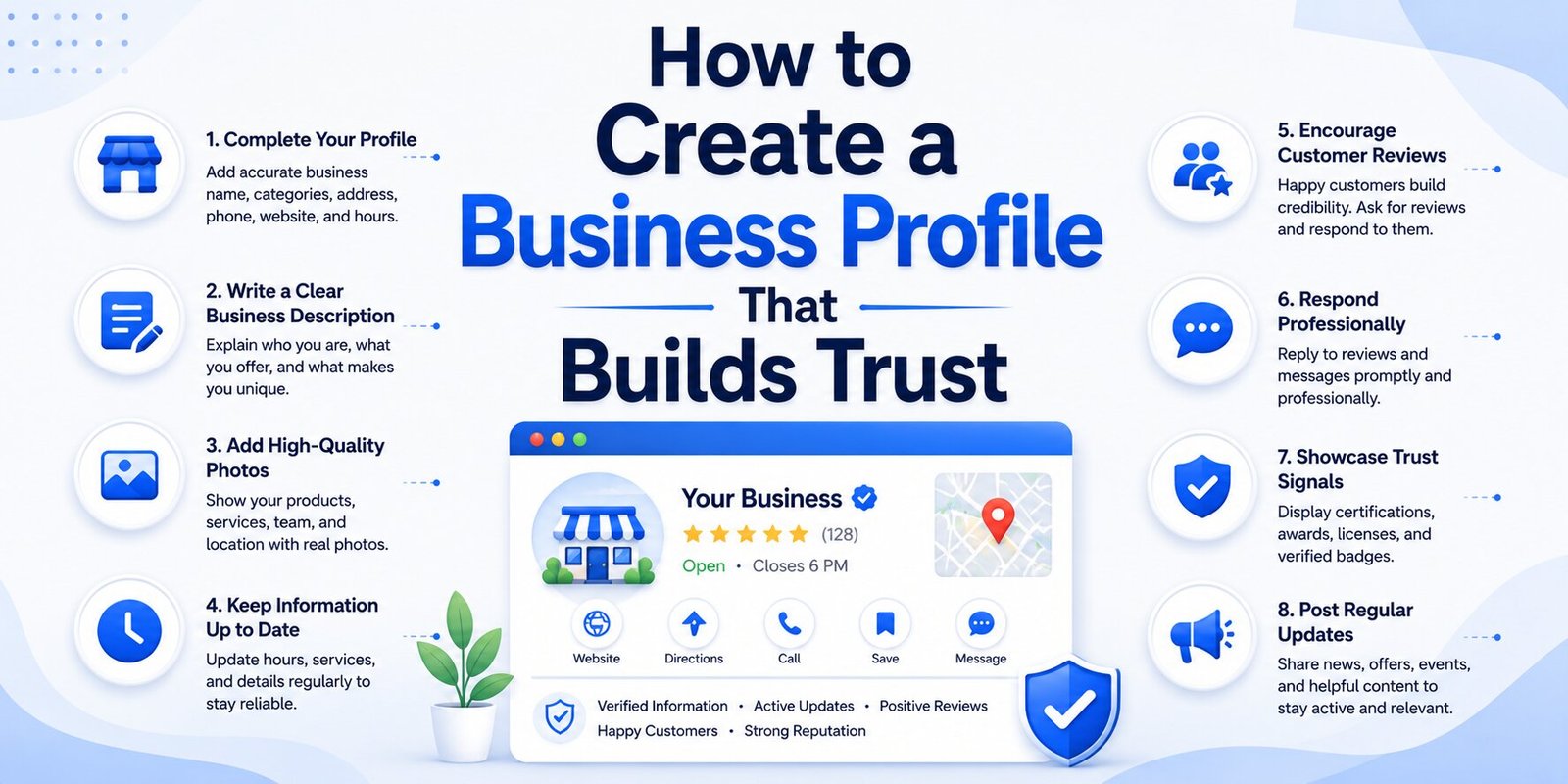
Business Profiles are more than basic online records. They are public-facing trust signals that help customers decide whether a company is real, reliable, and worth contacting. When someone searches for a nearby store, service provider, restaurant, repair shop, or specialty retailer, the first impression often comes from an online business profile rather than from the company’s website. This is especially true when people use mobile devices, map apps, and “near me” searches to make fast decisions.
A strong business profile presents accurate business information, explains what the company offers, and gives customers confidence before they call, visit, or buy. Whether a company operates in home and garden, sports, hobbies and crafts, electronics and technology, or food, beverages, and tobacco, the profile should make the business easy to understand and easy to trust. The goal is not simply to appear online, but to appear credible, helpful, and ready to serve.
Why Business Profiles Matter for Trust
Customers rely on search engines and directories to evaluate businesses before making contact. A complete High-Converting Business Profile can answer important questions within seconds: What is the business called? Where is it located? Is it open? Does it serve my area? Can I call directly? Does it have a website? Do other customers trust it? When these answers are clear, people are more likely to take action.
Incomplete or inconsistent profiles create doubt. If a customer sees an old phone number, missing hours, vague category, or unverified listing, they may choose a competitor instead. Trust is built through clarity, consistency, and evidence. A well-structured profile gives both customers and search engines the information they need to recognize the business as legitimate.
A business profile is an online summary of a company’s identity, location, services, and contact details. It may appear on Google, Bing, Apple Maps, Facebook, Yelp, industry directories, or local platforms. The profile typically includes the business name, address, phone number, website, hours, photos, categories, description, and customer reviews.
For many local businesses, the profile functions as a digital storefront. Before a customer walks into a home and garden shop, books a sports coaching session, visits a hobbies and crafts retailer, or contacts an electronics and technology service provider, they may study the profile first. If the information looks professional and current, the business begins the relationship with an advantage.
A business listing is closely related to a profile, but it often refers to the structured record that appears in a directory or search platform. A local business listing focuses on a specific geographic area and helps customers find nearby businesses. These listings are especially important for companies that depend on foot traffic, local service calls, or regional visibility.
A local listing supports trust by confirming that the business exists in a real location or serves a defined area. For example, a food, beverages, and tobacco retailer with an accurate address and opening hours is easier to trust than one with limited or outdated details. Likewise, a service provider that clearly lists its coverage area gives customers confidence that it can actually serve them.
How to Create Business Profiles Correctly
To create business profile pages that build confidence, businesses should begin with accurate, standardized information. The profile should match the company’s website, signage, invoices, social media pages, and directory listings. Consistency prevents confusion and helps search engines connect the business to the correct location and category.
The process usually starts with choosing the right platform, entering the correct business identity, selecting the most relevant category, and adding contact details. Google is often the first priority because of its influence on search and maps, but a complete online presence may also include other directories and review platforms.
Create Google Business Profile
To create Google Business Profile listings, a business owner can use Google’s business management tools to add or claim a profile. This step is important because a Google Business Profile can appear in Google Search, Google Maps, and local results. It gives businesses a direct way to manage how they appear when customers search for their name, services, or nearby options.Creating the profile carefully is essential. The business owner should avoid keyword stuffing, false locations, or misleading categories. Google and customers both value accurate information. A profile that honestly reflects the business is more likely to earn trust and perform well over time.
Add Business Name and Choose Business Category
The first major step is to add business name exactly as it appears in real life. The name should match storefront signage, official documents, the website, and customer-facing materials. Adding extra keywords to the name may seem tempting, but it can reduce trust and may violate platform guidelines.Next, the owner must choose business category information that accurately describes the primary service or product. Categories help search engines decide when to show the profile. A garden center, sports equipment store, craft supply shop, phone repair service, and specialty beverage store should each choose categories that match what customers are actually searching for.
Essential Information to Add to a Profile
A trustworthy profile depends on complete and accurate details. Customers expect information to be easy to find and current. If a business leaves key fields blank, people may assume it is inactive, disorganized, or not customer-focused. By contrast, a complete profile signals professionalism and reliability.Important details include address, phone number, website, hours, service area, photos, business description, products, services, and accessibility information. These elements help customers decide whether the business fits their needs before they spend time calling or visiting.
Enter Business Address and Add Phone Number
When the business has a physical location, the owner should enter business address information with care. The street address, suite number, city, and state should be correct and consistent across all platforms. Accurate address data helps search engines place the company properly in maps and local results.
It is equally important to add phone number details that customers can use. A local number can support trust because it signals a real presence in the community. The number should be monitored during business hours, and voicemail should be professional if calls are missed. A customer who cannot reach the company may quickly move on to another option.
Add Website URL and Business Information
A profile should also add website URL information when a website exists. The website gives customers a deeper look at services, products, prices, policies, photos, and booking options. It also helps search engines connect the profile with the official business presence online.
Complete business information should include a concise description, accurate hours, accepted payment methods, service details, and relevant attributes. For example, a home and garden business may mention landscaping supplies and outdoor tools. A sports business may describe equipment fitting or team gear. A hobbies and crafts retailer may highlight supplies, classes, or workshops. An electronics and technology company may explain repair services, installations, or technical support. A food, beverages, and tobacco shop may include age-restricted product policies where relevant.
Verification and Accuracy Build Credibility
Trust improves when a business proves ownership of its profile. Business verification shows that the person managing the listing has authority to represent the company. Verification also gives owners more control over updates, customer engagement, and profile protection.
Accuracy is just as important as verification. Customers do not separate online errors from business quality. If the profile is wrong, they may assume the business is careless. Regular checks help prevent outdated information from damaging credibility.
Business Verification and Verify Business Listing
Business verification is the process of confirming that a business is genuine and that the owner or manager has permission to control the profile. Platforms may ask the owner to verify business listing details before allowing full management access. This process protects customers from fake profiles and protects business owners from unauthorized changes.
Verification methods vary by platform and business type. Some businesses can verify by phone, text, email, video, or documentation. Others may need to wait for a physical postcard. The method depends on the platform’s requirements and the information already available about the business.
Google Verification Code
A Google verification code is one method Google may use to confirm ownership. The code may be sent by postcard, phone, text, or email, depending on eligibility. The business owner enters the code in the profile management system to complete verification.
This step should be handled carefully. The code should not be shared publicly or given to unknown parties. Scammers may attempt to gain access to listings by requesting verification codes. A verified profile is valuable, so business owners should protect account access with strong passwords and proper user permissions.
How Profiles Support Local SEO and Visibility
A complete profile can improve Local SEO by helping search engines understand the business’s relevance, distance, and prominence. Local SEO is the practice of improving visibility for searches with geographic intent. When a customer searches for a nearby business, search engines evaluate profile data, website information, reviews, location, categories, and other signals.
Profiles are particularly valuable because they connect a business to map results and local search features. They help a company appear when people search for nearby products and services, even if those customers have never heard of the brand before.
Google Maps Listing and Local Search Results
A Google Maps listing can be one of the most visible parts of a company’s online presence. It may display directions, distance, call buttons, photos, reviews, business hours, and service details. For mobile users, maps results often appear before traditional website links.
Strong profiles can also improve presence in local search results. When a customer searches for “craft store near me” or “phone repair nearby,” Google uses profile information to decide which businesses are relevant. A complete, verified, and active profile gives the business a better chance of being considered.
Local Pack Ranking and Nearby Searches
Local pack ranking refers to visibility in the group of local results that often appears near the top of a search page. This section is highly competitive because it receives strong attention from users. While no business can guarantee placement, accurate categories, strong reviews, consistent information, and relevant content can support performance.
Profiles also help with nearby searches and “near me” searches. These searches are common when people want immediate solutions, such as a sports store close by, a garden supply shop open today, or an electronics repair service nearby. If the profile is accurate and optimized, the business is more likely to appear when location matters most.
Managing Profiles for Long-Term Trust
Creating a profile is only the beginning. Trust depends on ongoing maintenance. Businesses should regularly update hours, services, photos, seasonal offers, holiday schedules, and contact details. They should also monitor reviews and respond professionally. A profile that looks active shows customers that the business is engaged.
For a service area business, accuracy requires special attention. These businesses may not serve customers at a storefront, but they still need to show where they operate. Plumbers, landscapers, mobile repair specialists, delivery services, and home improvement providers should define service areas honestly. This helps customers understand availability and helps platforms match the business with relevant local searches.
Photos and reviews are also powerful trust builders. Clear images of the storefront, staff, products, completed work, or service process help customers feel familiar with the business. Reviews provide social proof, while owner responses demonstrate accountability. A calm, helpful response to a negative review can sometimes build more trust than no response at all.
Businesses should audit profiles across directories at least a few times a year. If the business changes address, phone number, website, hours, or services, those updates should be made everywhere. Inconsistent information can weaken visibility and frustrate customers. For businesses in home and garden, sports, hobbies and crafts, electronics and technology, and food, beverages, and tobacco, seasonal changes may make regular updates even more important.
Ultimately, Business Profiles build trust when they are accurate, verified, complete, and actively managed. They help customers confirm that a business is real, understand what it offers, and take the next step with confidence. By creating a strong profile, verifying the listing, adding complete business information, and maintaining visibility in local search results, companies can strengthen credibility, improve business visibility, and turn online discovery into real customer action.
